Management software for workshops and dealers.
GAV follows the job from vehicle check-in to hand-over: work orders, spare parts, quotes, sales and used vehicles in one program. You switch on only the modules you need.
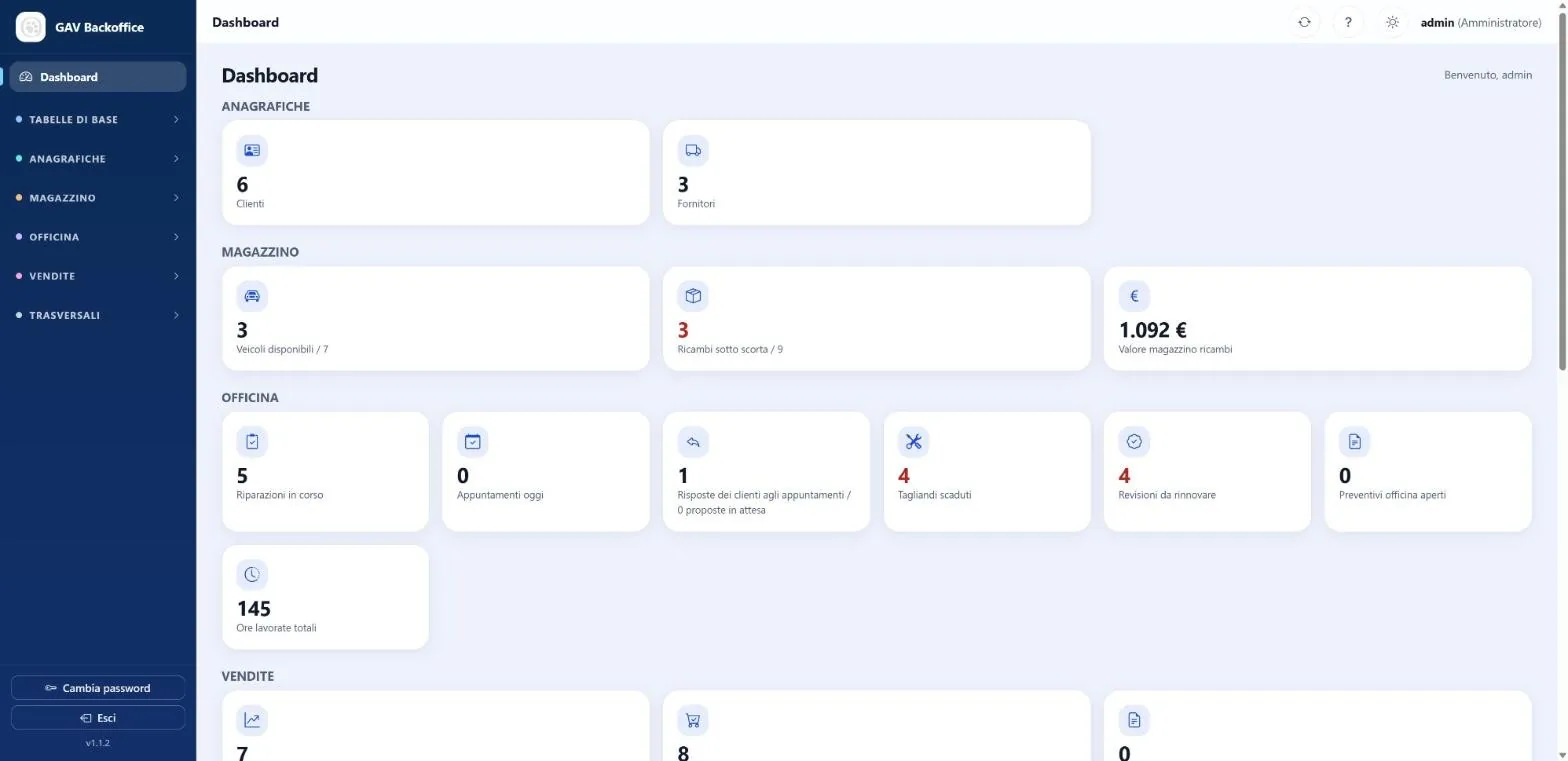
Three modules, on only when you need them
Each module works on its own. Used together, they talk to each other: a sale updates the vehicle status, a work order draws down spare parts.
Workshop
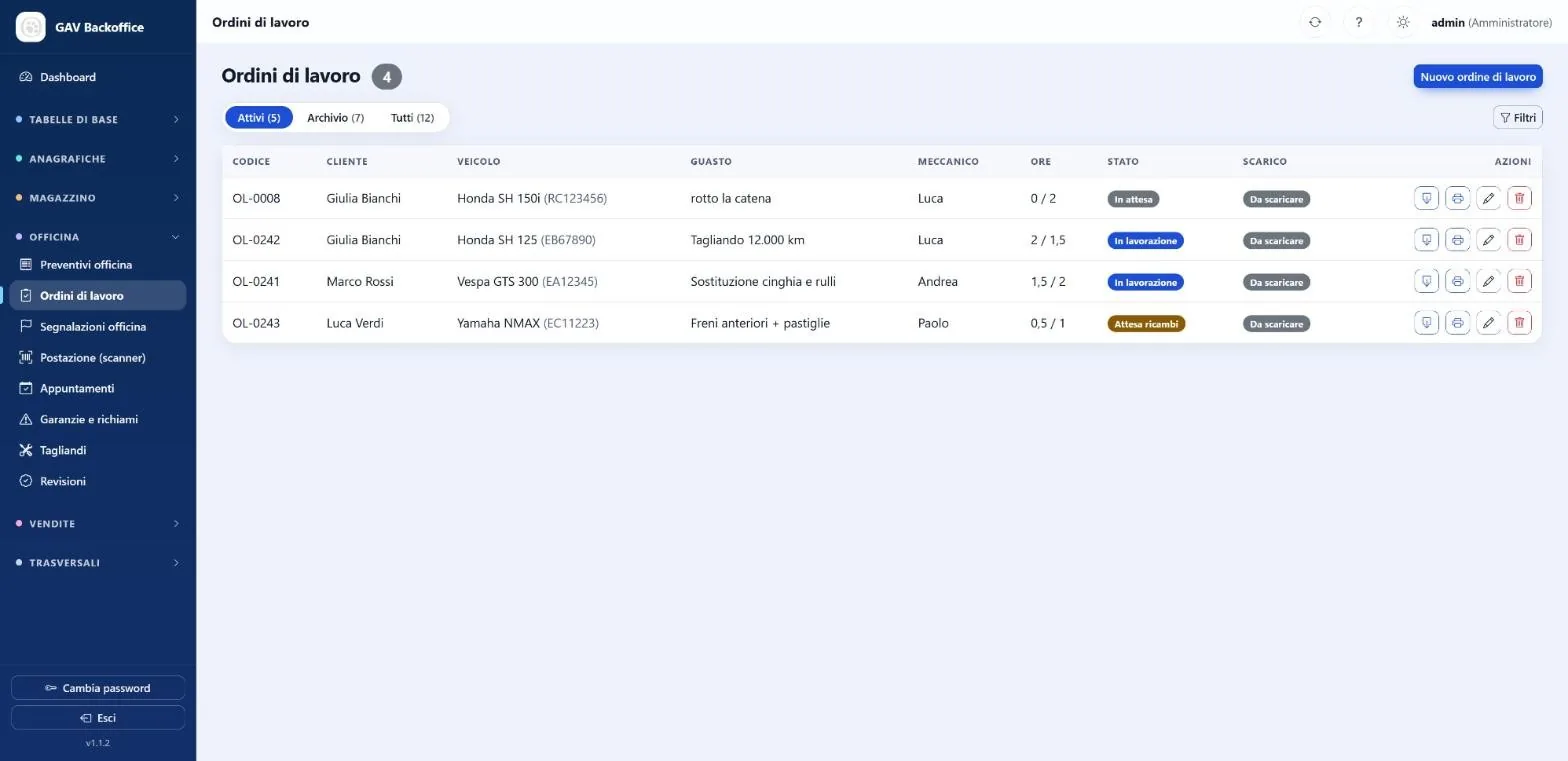
- Work ordersChecklists, materials, photos and signatures, with history by plate.
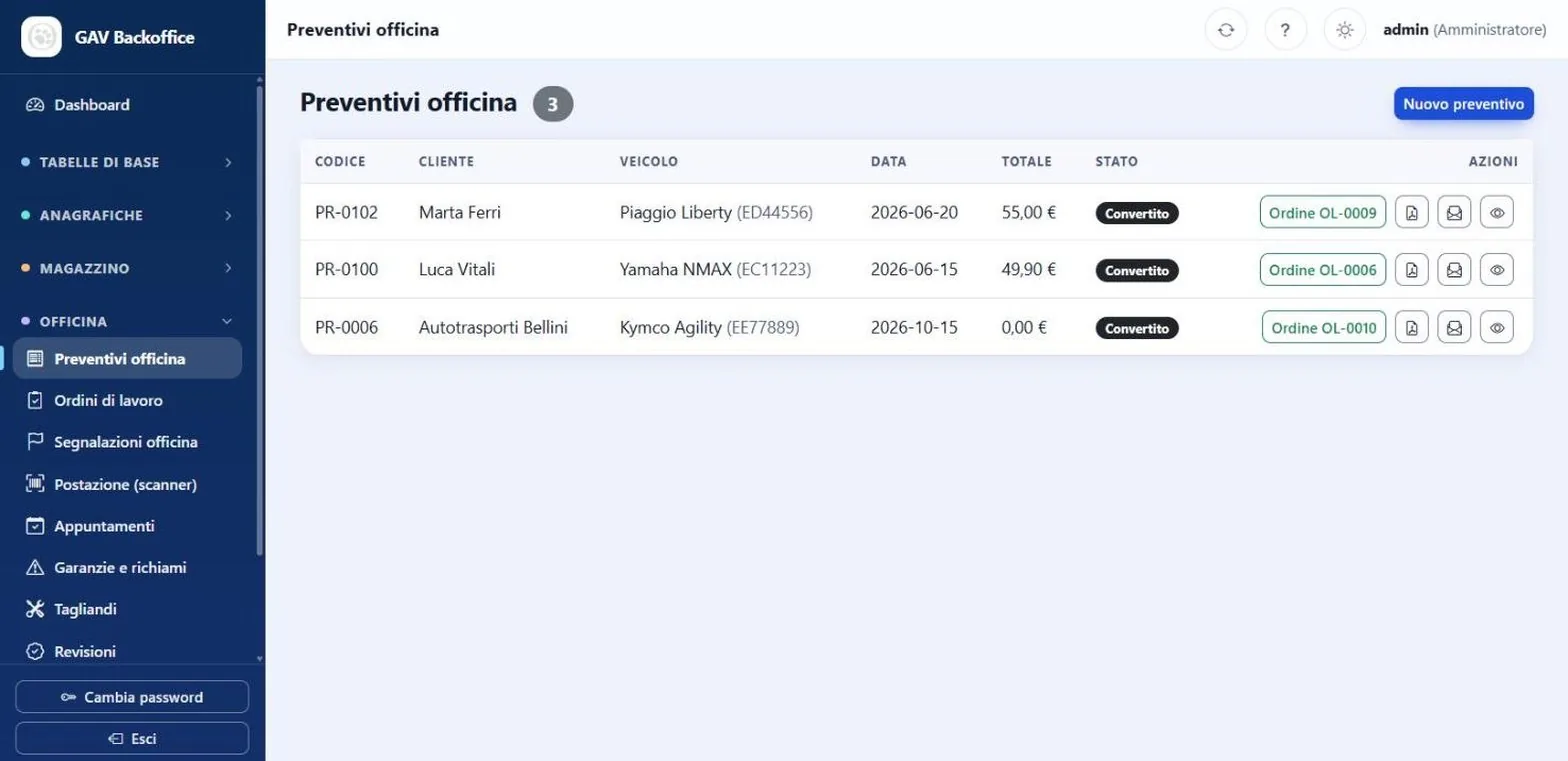
- QuotesFrom quote to work order, even with several jobs.
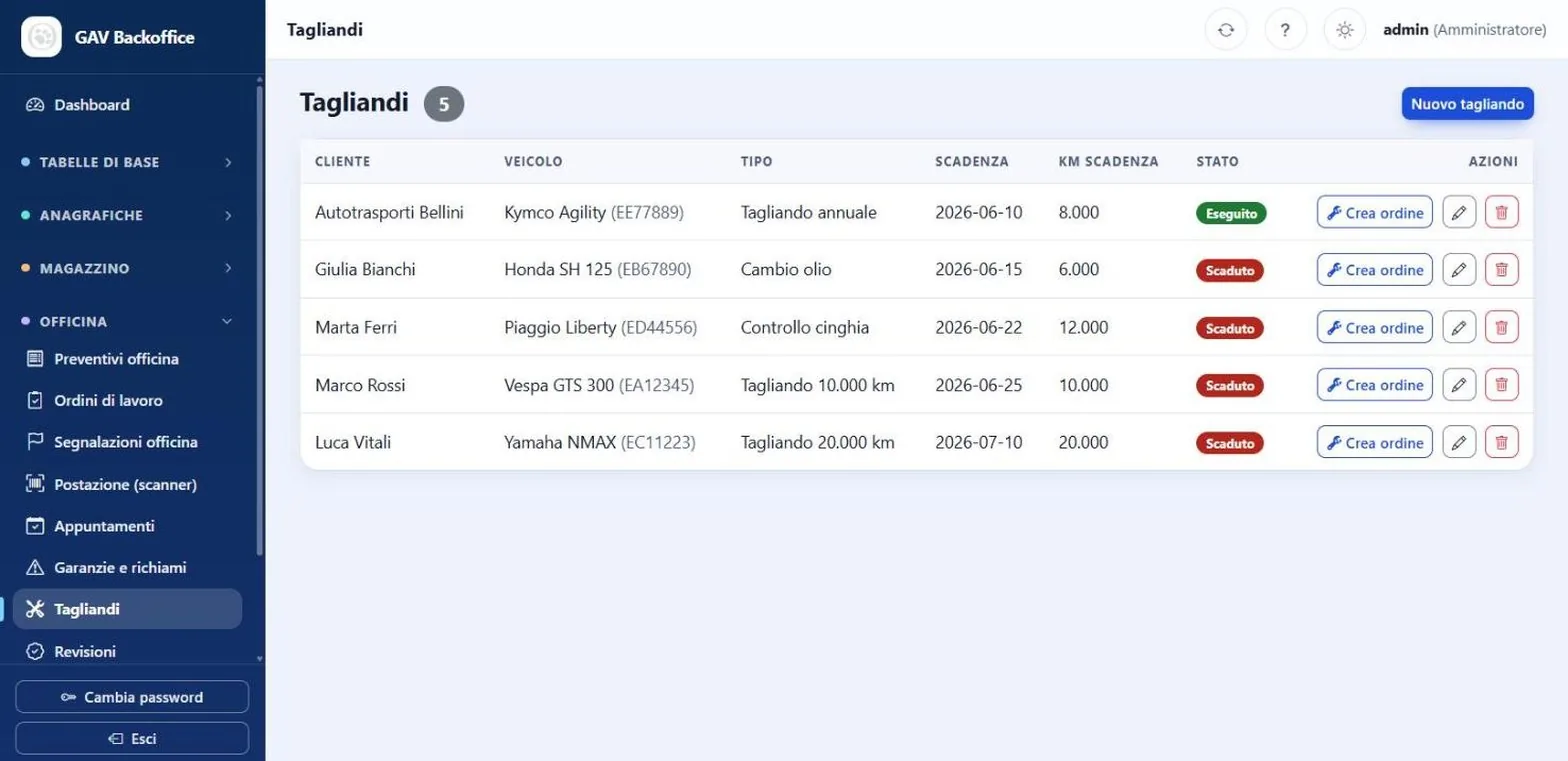
- Services and inspectionsDue dates always in view, and a work order created in one click.
- Warranties and recallsThe manufacturer's, linked to the vehicles.
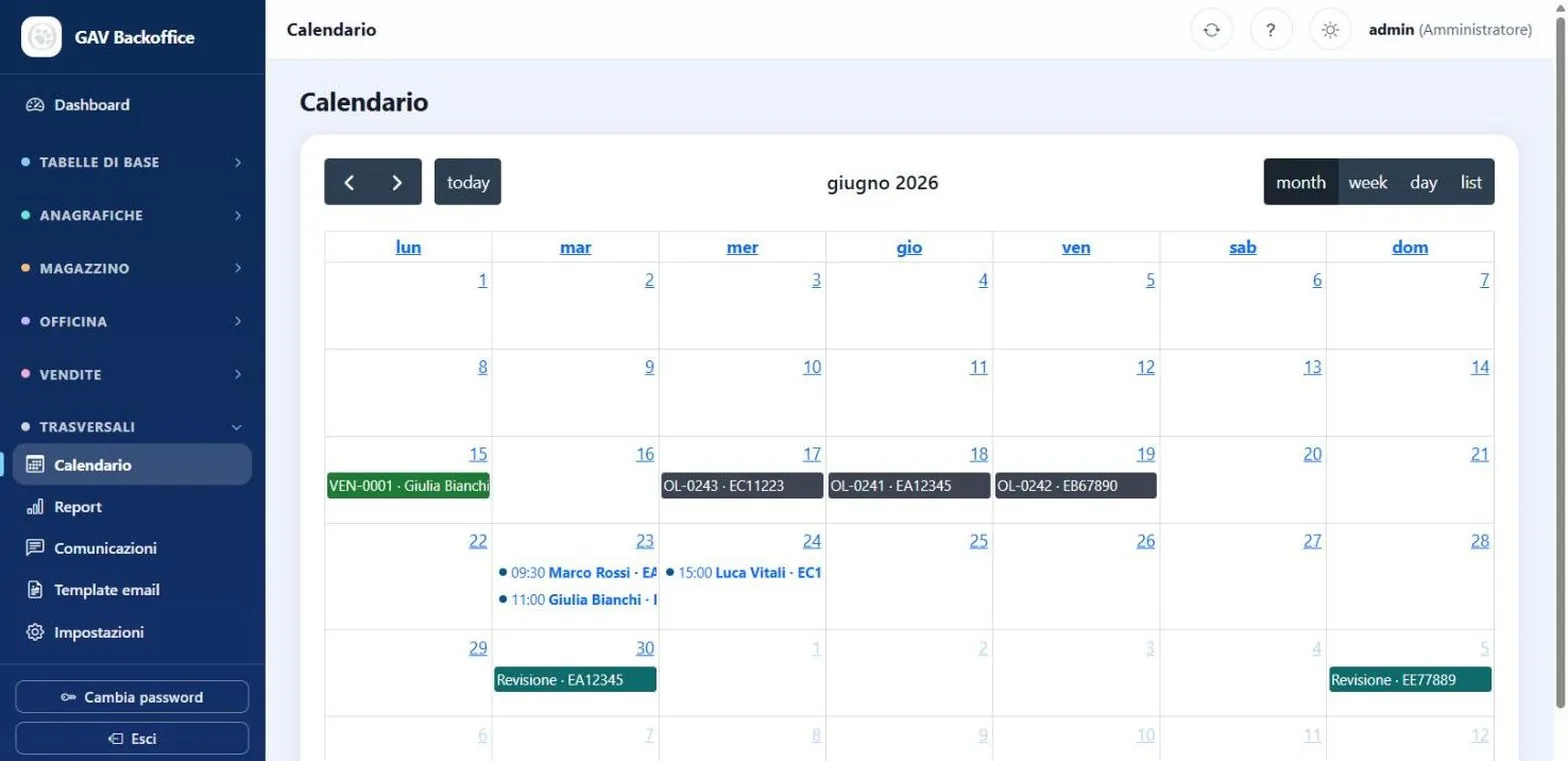
- Appointments and calendarA shared agenda with everything that has a date.
Warehouse
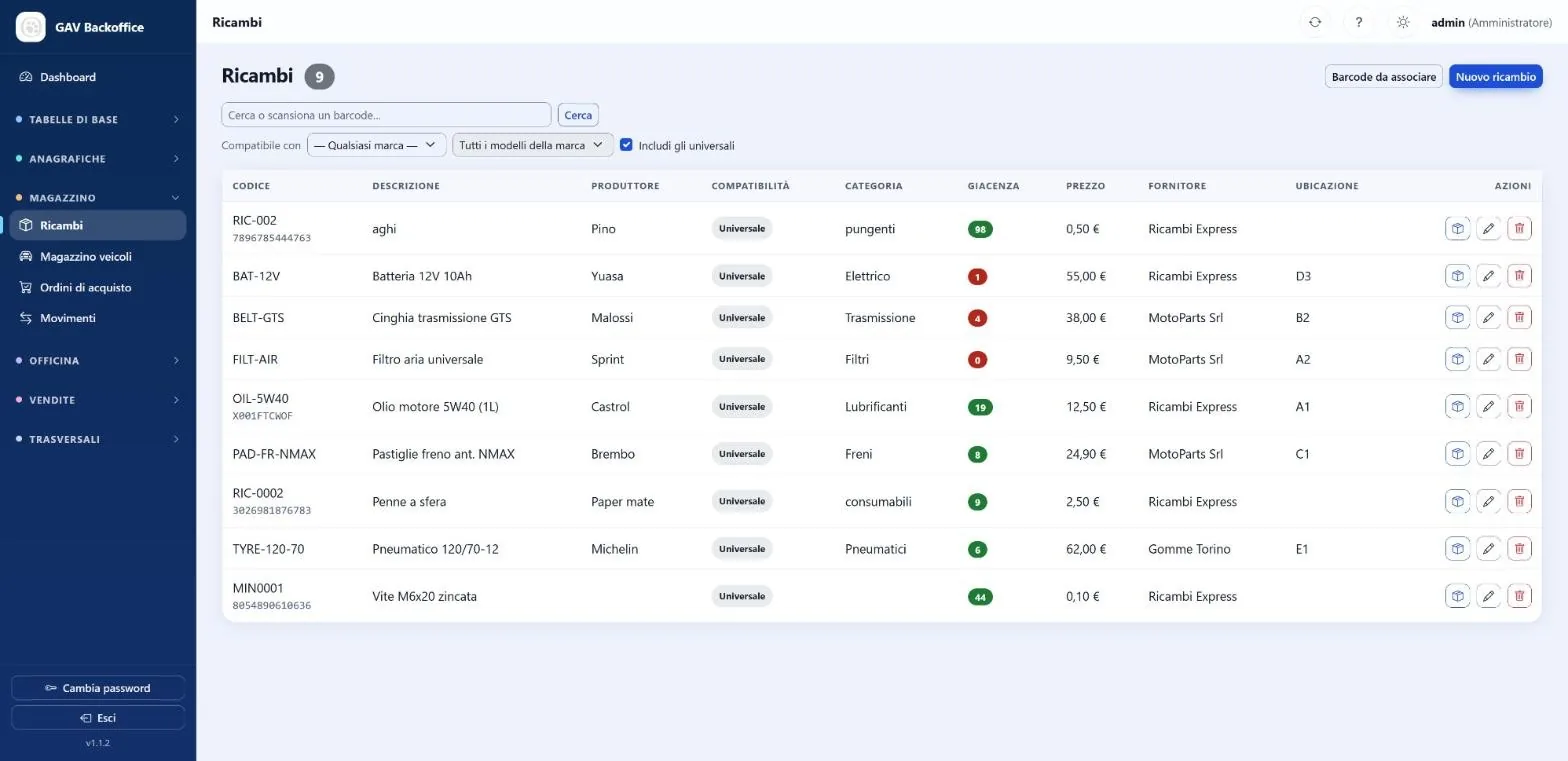
- Spare partsAccurate stock, barcodes and compatibility by model.
- Low stockAutomatic alerts for what is running out.
- Purchase ordersFrom request to goods received, loaded automatically.
- MovementsEvery receipt, issue and adjustment stays traceable.
- New vehiclesThe stock on hand, with its status.
Sales
- Quotes and salesNew and used, with hand-over per vehicle.
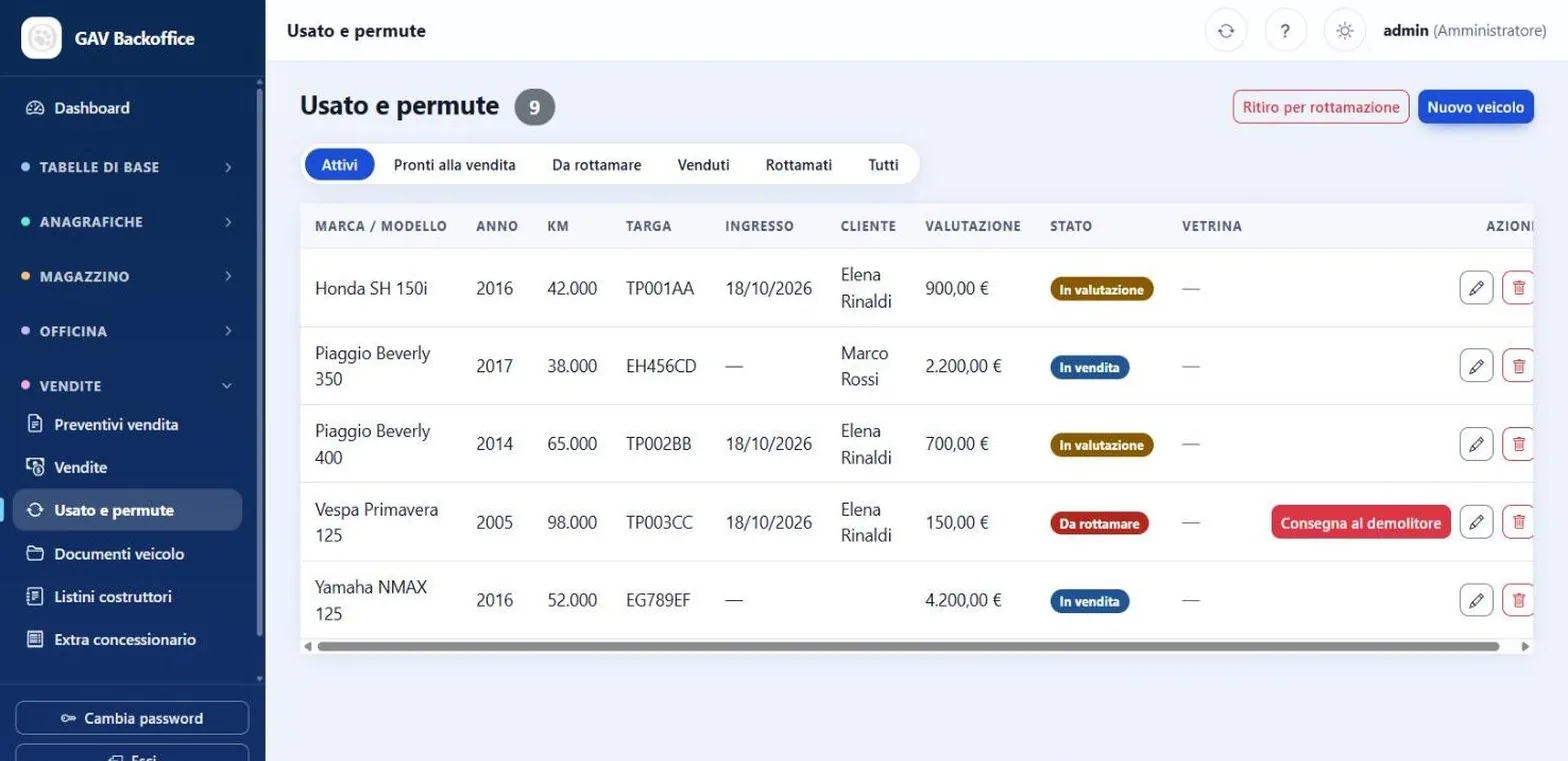
- Trade-insEven several vehicles in the same deal.
- ScrappingIntake and hand-over to the dismantler.
- Documents and price listsVehicle documents with due dates, manufacturer price lists, dealer extras.
- Showcase for your siteReady-to-sell vehicles appear on the dealer's website.
Everyone sees the figures they need: dashboard and permissions follow the role, and each user picks a light or dark theme.
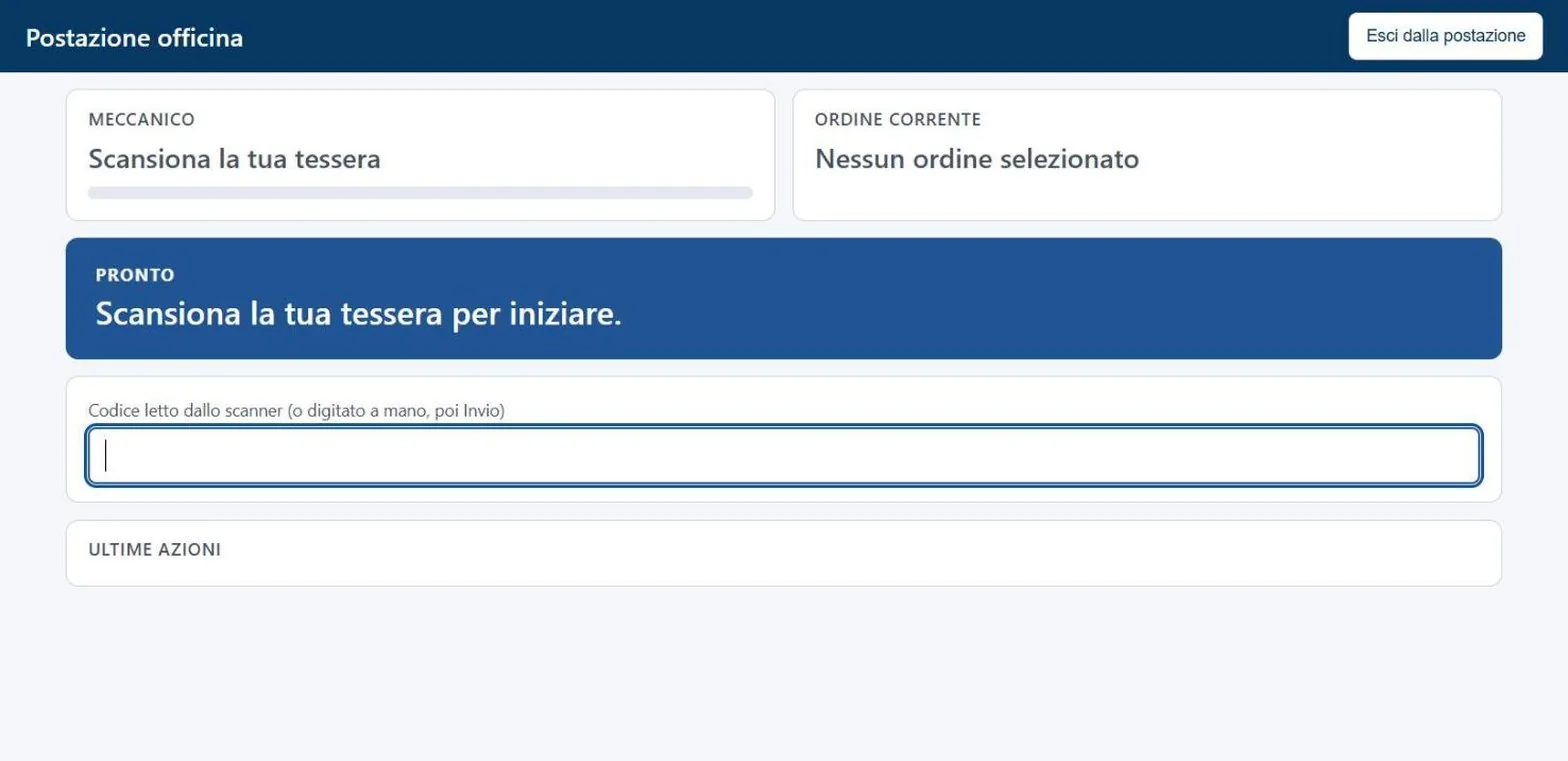
In the workshop, no keyboard.
Every mechanic has a card with a barcode. At the station they scan the card, then the work order: that is how they start and stop jobs and log parts.
Hands stay off the computer, and the hours of each job are measured with no paperwork.
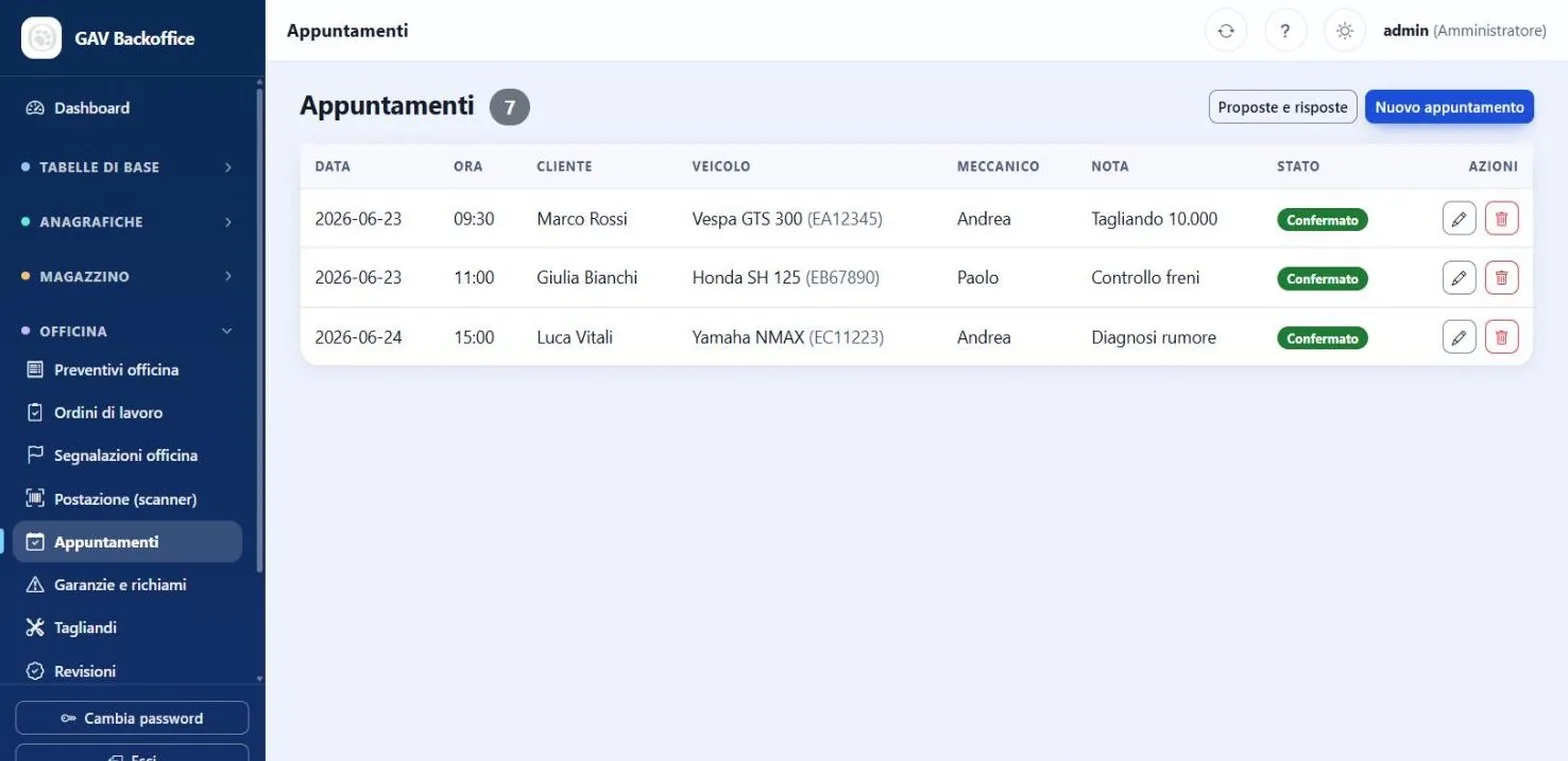
Customers reply on their own.
When you propose an appointment, the owner sees it in the Customer Portal and replies: accept, decline or suggest another time.
You find the answer right away in Appointments, with no phone tag.
The screens
Sample data, all invented. Interface shown in Italian.
Ask your own data.
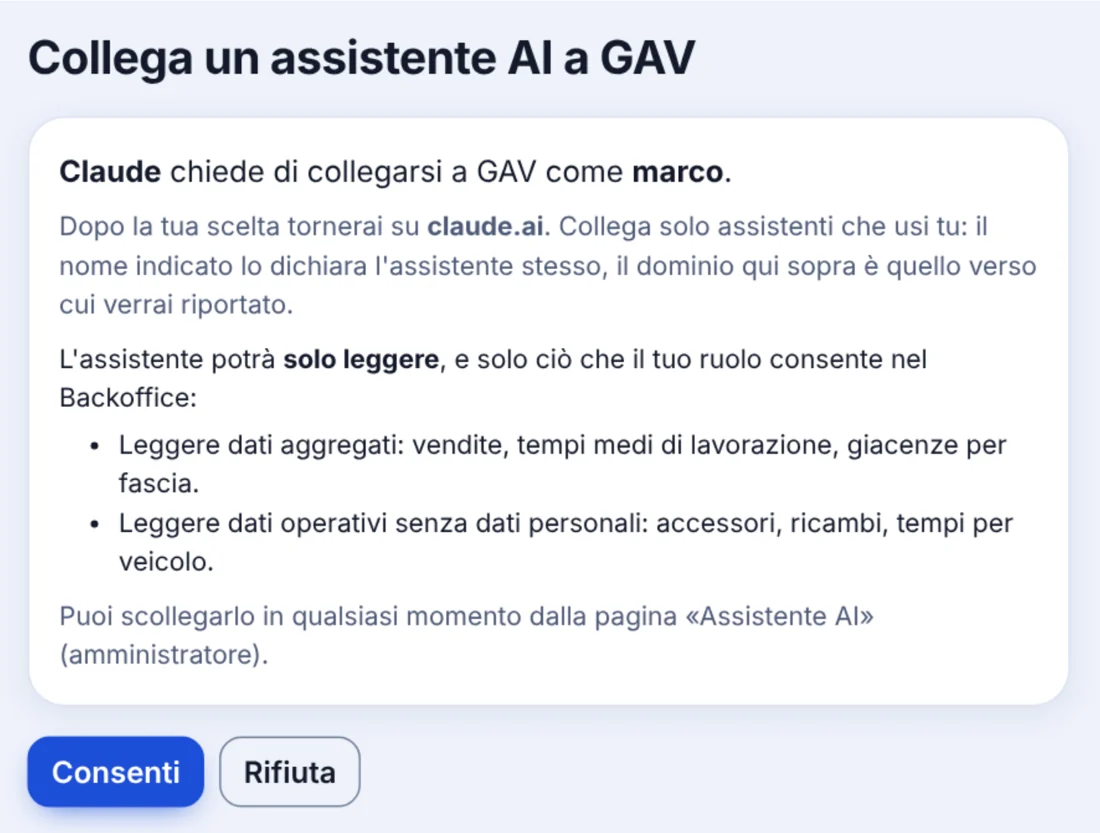
With GAV AI you connect your assistant, Claude or ChatGPT, and ask questions as you would a colleague. It answers by reading GAV data, and it cannot change anything.
- “How much did we sell in September?”
- “How long does a service take us on average?”
- “How many GIVI top cases do we have in stock?”
- Read-only. The assistant creates, edits and deletes nothing.
- The user's own permissions. It sees what the role of whoever connected it can see.
- Personal data off. Only switched on with the administrator's consent, and every read goes into the access log.
- Disconnect at once. The administrator ends a connection whenever they like and sets requests per minute.
The assistant remains a service of its provider, chosen and subscribed to by the company.
A CreativitApp product.
GAV is designed, written and supported by CreativitApp, a software house with over 25 years of experience in business applications.
When you call, you talk to the people who know the code.
Meet CreativitAppWant to see it at work?
Write to us: a sales contact will get in touch to set up a demo and work out which modules your workshop needs.